
Color Toning
Exposure's tools enable adjust colors with precision and ease. This tutorial demonstrates how to take command of image color with creative color toning effects.
Photo: Paola Paz
Exposure's tools enable adjust colors with precision and ease. This tutorial demonstrates how to take command of image color with creative color toning effects.
Photo: Paola Paz
If you love the look and feel of grain, or if you’re drawn to the nostalgia of analog film, check out this tutorial. Learn to the fundamentals of applying and controlling grain effects to enhance your photos in Exposure.
Photos: Tony Sweet
Exposure’s virtual copies feature encourages you to experiment with different looks for your photos. See how to use the feature in this video.
Photo: Art Face Portrait
In this video tutorial, learn how to apply adjustments locally in Exposure. This enables you to apply editing changes only to the areas you designate, and seamlessly blend any of the edits you make.
Photos: Angie Lambert

This tutorial video demonstrates techniques for building a custom Exposure preset with a beautiful orange and teal look.
Photo: Jason Bone, Robert Coppa, Alexander Heinrichs, Jenna Barrett
Increase your exporting productivity by integrating Exposure's quick export presets into your workflow. This video shows you how.
Photo: Bruce Cotton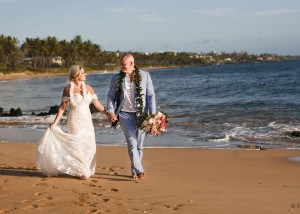
Keywords enable you to structure robust classifications, and flexibly search through your digital image library. Learn how keywords can assist you in organizing your photos in this video.
Photo: Frank Salas
This video demonstrates how to when and how to apply watermarks, how to customize them, and how to create your own using Exposure.
Photo: Jan Siebert
Learn how to use Exposure’s side-by-side view to experiment with photo treatments.
Photo: Kyle Ford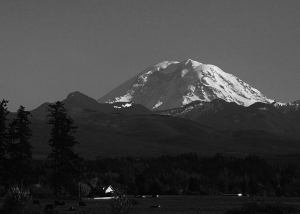
Photographer Kyle Ford demos his workflow method to clear dust spots from his photos in Exposure.
Photo: Kyle Ford
This video introduces you to several different types of image sharpening, and it explains when to use each kind. Learn how to get great-looking sharpening results by adding the effects during various periods in your workflow.
Photo: April Milani, Anne Helene Gjelstad
Learn how to launch images in other programs as external editors from Exposure. Integrating all your tools into one central post-processing tool is one of the great benefits to using Exposure as the centerpiece of your workflow.
Photo: Matthew Bliss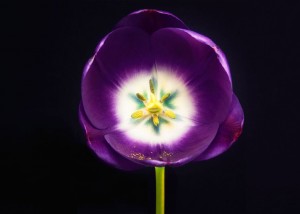
Layers take photo editing to a whole new level. Separate layers provide more precise control over adjustments. Learn how to use layers in this video.
Photo: Lynda Mills
Learn how to integrate Exposure with Photoshop. This video shows you how to edit PSD images created in Photoshop, how to export PSD images, and more.
Photo: McClanahan Studio
Learn ways to improve your understanding of Exposure’s many creative tools. Watch expert instructor Tim Grey’s webinar 'Effects for Creative Vision' and gain new insights into creative editing.

Batch editing is a post-processing technique that allows for adjusting a bunch of images fast. If you have images shot under similar lighting conditions, you can apply the same tweaks to them all at once. Exposure gives you a few different ways to batch edit photos.
Photo: Jeni Ann
This video shows you how to create well balanced vignette effects. Vignettes are great creative tools to subtly focus attention on the subject.
Photo: Oleg Kim
Image focus is a powerful way to direct the viewer’s eye. Controlling areas that are in and out of focus gives you loads of creative options in post-production. This video was made to show you how you can add realistic blurring effects to your images in Exposure.
Photo: David Mecey
Learn how to work with presets in Exposure. See how to browse and search, use filtering, how to save custom presets, and how to import and export.
Photo: Tony Asgari
Learn methods for exporting finished images out of Exposure. Exporting is the last major step in your post processing workflow..
Photo: Hiram Trillo
Learn how to browse files, add favorite folders, and perform file management in Exposure.
Photo: Oded Wagenstein, Jay Marroquin, Jimmy Beech, Chad Bromley
Learn how to organize files in Exposure using the tag, filter, sort, and search tools.
Photo: Hiram Trillo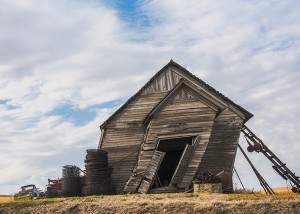
This video demonstrates some of the main benefits to Exposure's non-destructive photo editing workflow.
Photo: Tony Sweet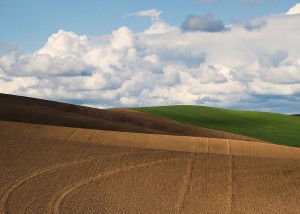
This video tells the first things to know when you’re starting to use Exposure with Adobe Lightroom. It gives a brief tour of the UI, and suggestions for how to work.
Photo: John Barclay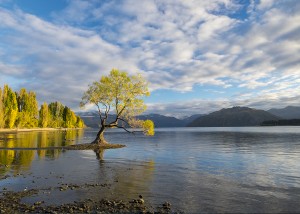
Exposure is a complete photo editor that can handle your entire photography workflow. But, it can also integrate into other photo editors. This video demonstrates how to access the unique creative capabilities in Exposure from within Adobe Photoshop.
Photo: John Barclay